
By: Yohan Lee
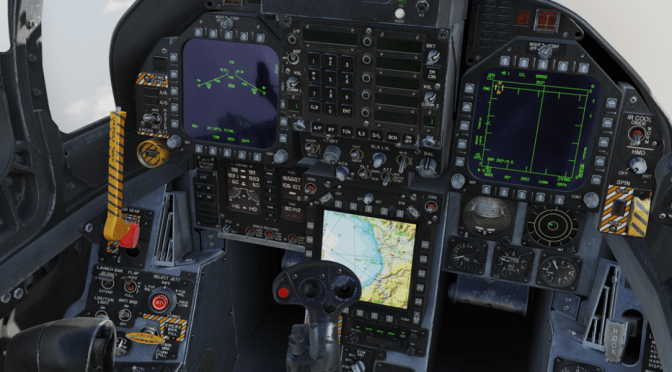
‘Digital Combat Simulator’ is an aviation air to combat plane simulation game. You can play it on a PC. Here I will explain how you start an F-18C.
To start the F-18C in ‘Digital Combat Simulator’ you first must have your battery switch in the upright switch near your right console.
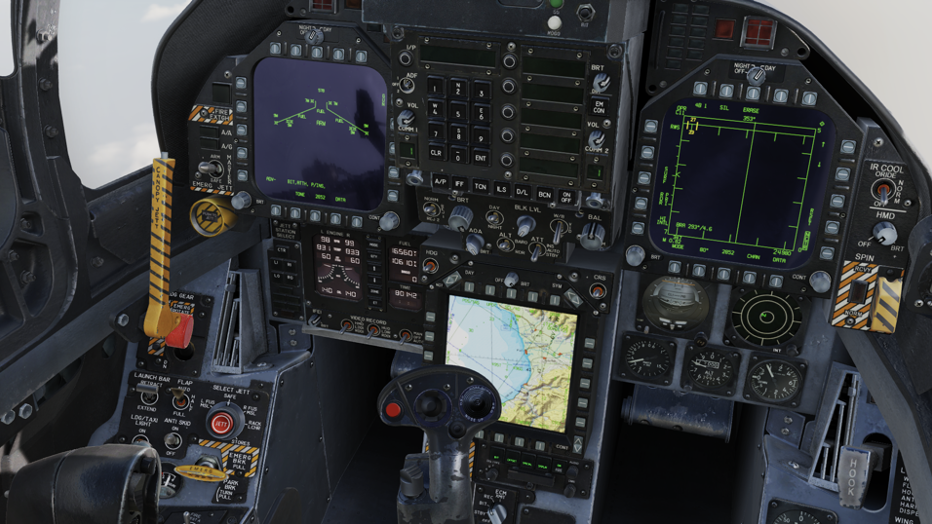
Now look at your left console and locate APU and click right to turn it on. You will see the APU ready light has turned green.
Below the APU there is an Engine Crank switch and right-click to put it in the Right Engine Crank.
Now look at your IFEL panel. When you crank your right engine you should see a number moving on the right side of your IFEL panel. That is the right engine. Once the number has reached 25 percent move your right throttle to idle or press RSHIFT+HOME. Your 25 percent should move up to 65 percent. Your engine crank switch should automatically go to the off switch.
Now do the same procedure on the left engine. Left-click engine crank. Left at the IFEL panel. 25 percent, and move your left throttle to idle or RALT+HOME. Check that both engines are at 65 percent.
SCREENS
Now look at both DDI and right-click the top knob to day. Now turn on your HUD by turning the knob next to the IFF. At the bottom, you should see the AMPCD screen. Turn the knob to the right.
FCS AND AVIONICS
On the far left of your left console, you should see your rudder trim. Press the button on the top to put your elevator into takeoff trim.
Near that you should see a FCS Reset Button. Hold that for 5 seconds. Look at your right DDI and press the FCS-MC button.
Take a look at your far right and you should see your FCS-BIT switch. Hold that for 5 seconds then look at your right DDI and press the FCS MC button again. It should say in Test.
Close the canopy or CTRL+C and look down and turn your INS to IFA. At your far left, turn your OBOGS on. Press the FCS MC button again. It should all say GO.
Finally, turn your seat arm and parking brake off.
 Plaid Line + PRIZM + Scottie News